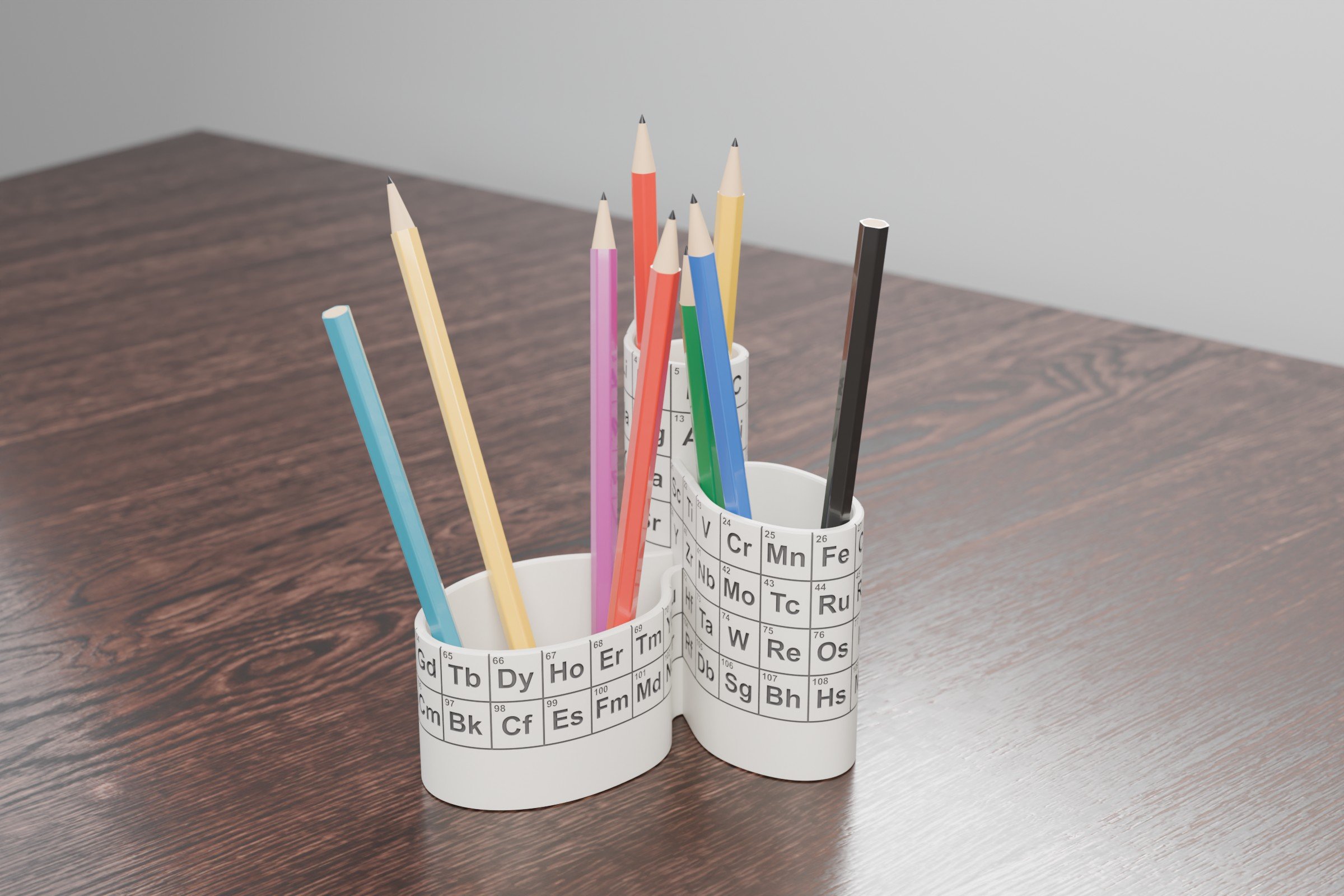
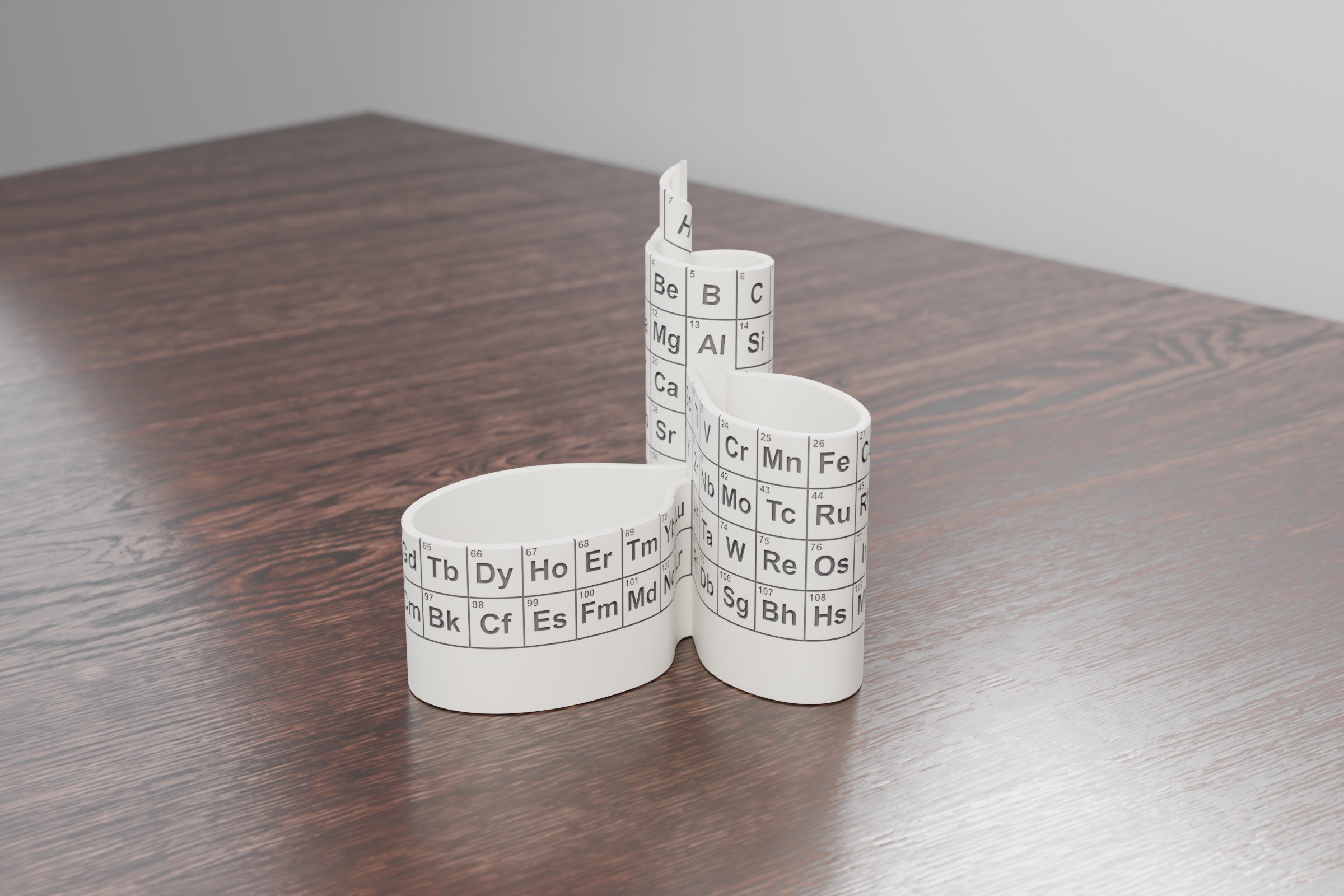
John Denker has a three-dimensional periodic table. The main body is a cylinder of 8 cells that winds up as a helix, so every row flows into the next one without a break. Transition metals get their own 11-cell loop and the lanthanides and actinides a 15-cell loop hanging off that one. Nothing is cut out and parked under the table like in the flat version. The loops happen to be the right size for pencils, so I made it into a pencil stand.
The prompt
I gave this to Claude Code (Claude Opus 5.5) as one message. The only edit is a tracking parameter removed from the link.
First, using a subagent to gain a complete understanding of this mini project, including looking at the images https://www.av8n.com/physics/periodic-table.htm
Then, using Blender 5.2, recreate this three-dimensional periodic table with all of the elements effectively in gray, meaning they are pushed inside of the material. The whole thing should have 3 mm thick walls and should be able to stand because we will be using it as a stand for pencils.
Also, think through it and look at it from the top, etc. It has to have a bottom enclosed and be a full 3D object. It has to be a fully detailed, high-quality 3D model with all of the little details, including texturing. We are going for high visual fidelity, good lighting, and everything verified. Very important: verify everything before you end and in between. Do direct implementation, but use subagents as you deem necessary.
Two follow-ups asked for an engineering sheet with all the basic views and for the rotatable viewer below. Whole thing is scripts: Python lays out the cells from Denker’s SVG geometry, Blender builds the walls and cuts the symbols and numbers of all 119 cells (Denker counts the neutron as element 0) with Manifold booleans, and a check step measures wall thickness, engraving depth, the closed floor and where the centre of mass sits.
The one correction
The tilted letters are not fully in the pseudo rectangle they should be in. They are peaking out.
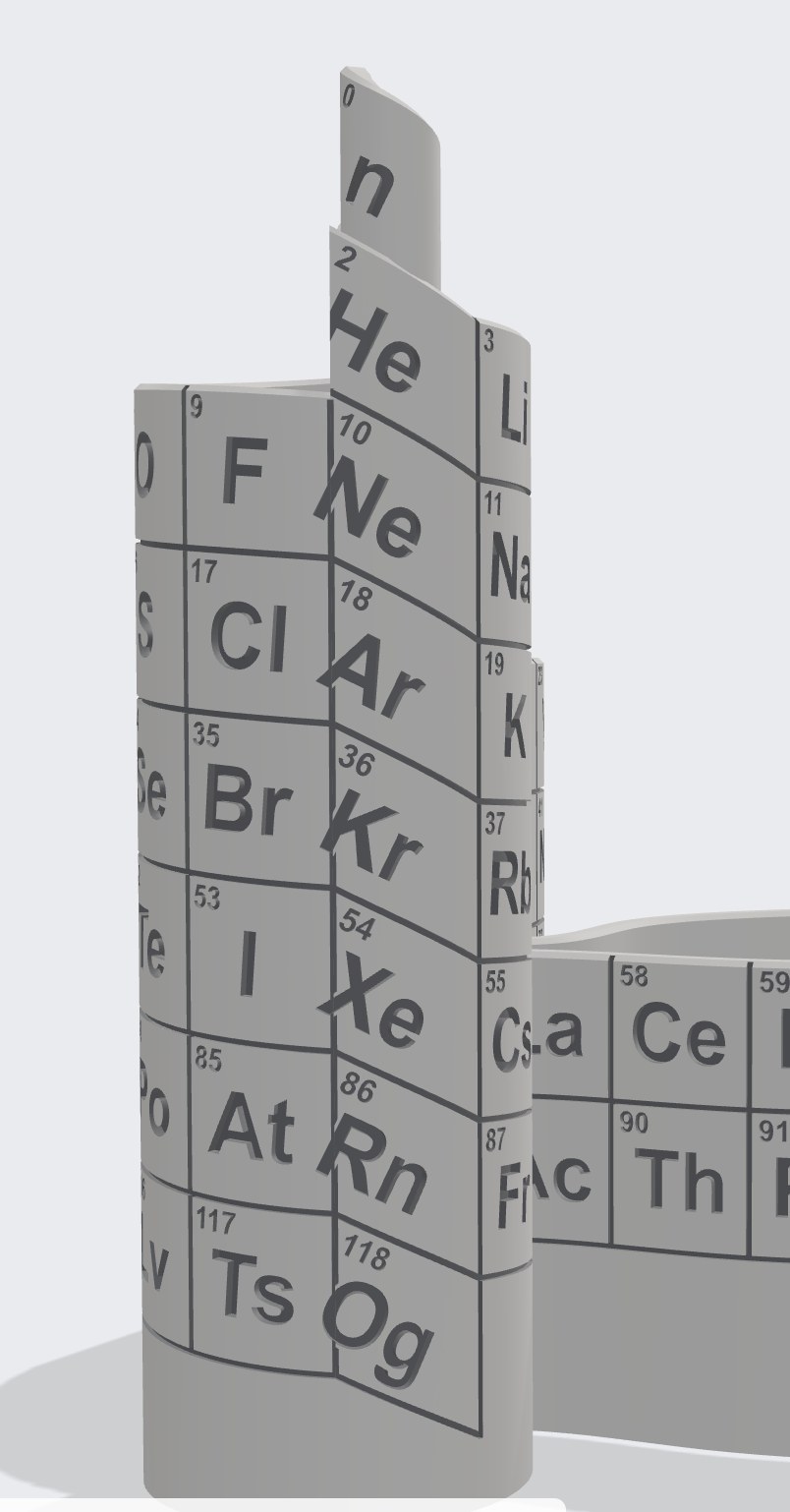
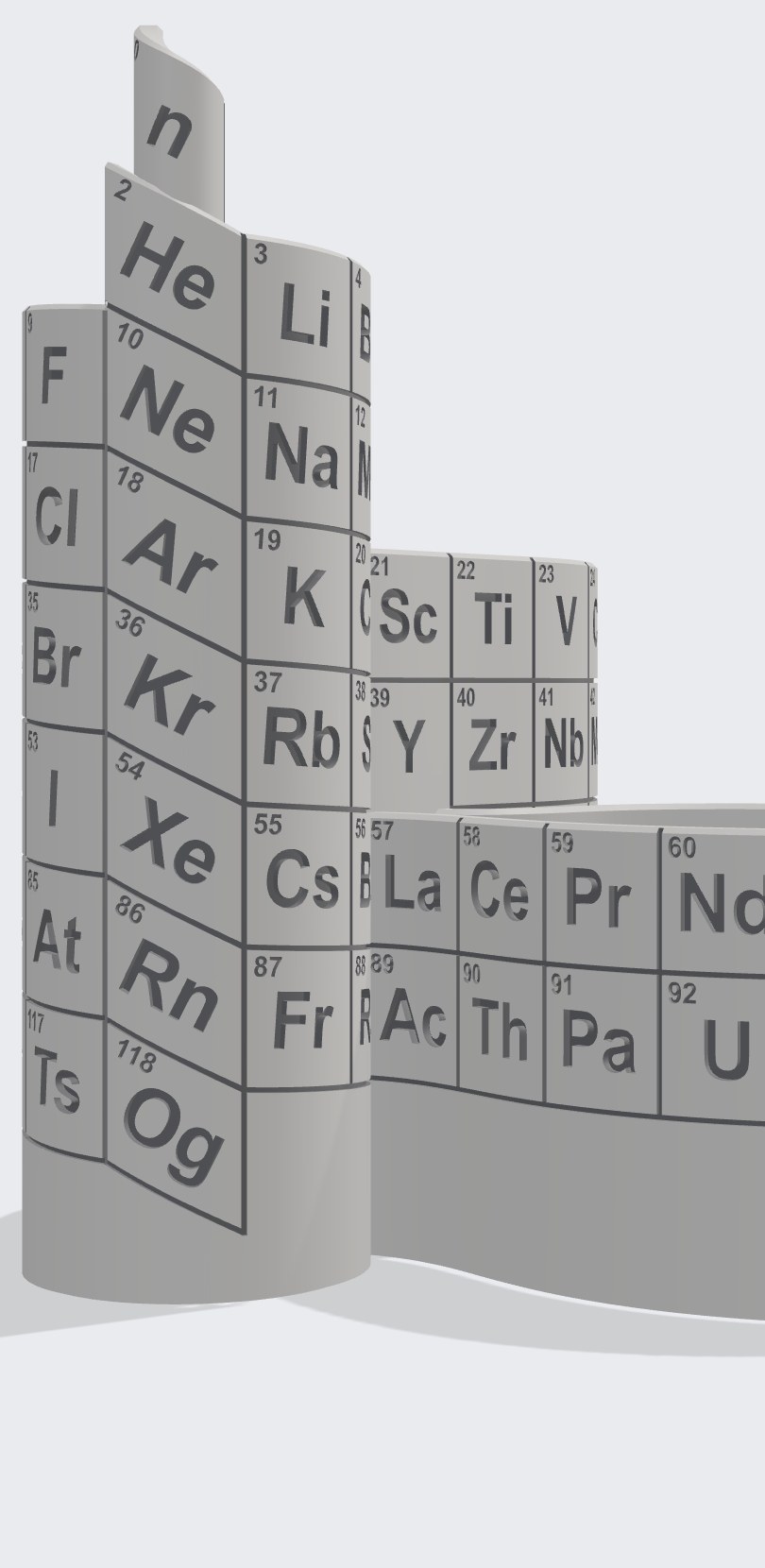
The noble gases and the hydrogen tube sit where the helix is steepest, so their cells are slanted parallelograms and the letters are rotated to match. They were rotated around the wrong point and swung over the cell border. Now each glyph is rotated around its own centre, and the build checks that every symbol and number stays at least 0.4 mm inside its cell. If one does not fit, the build stops.
Renders
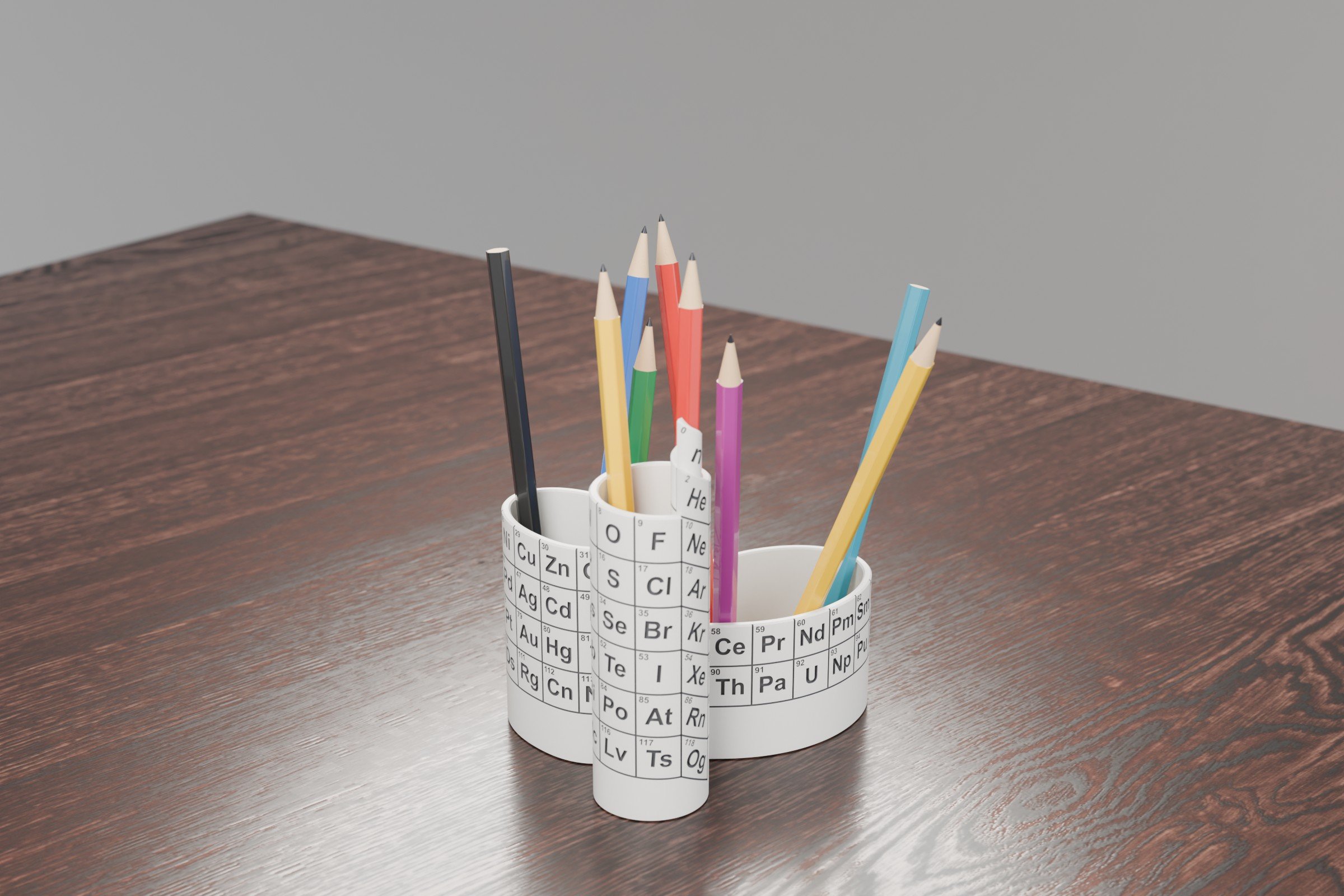
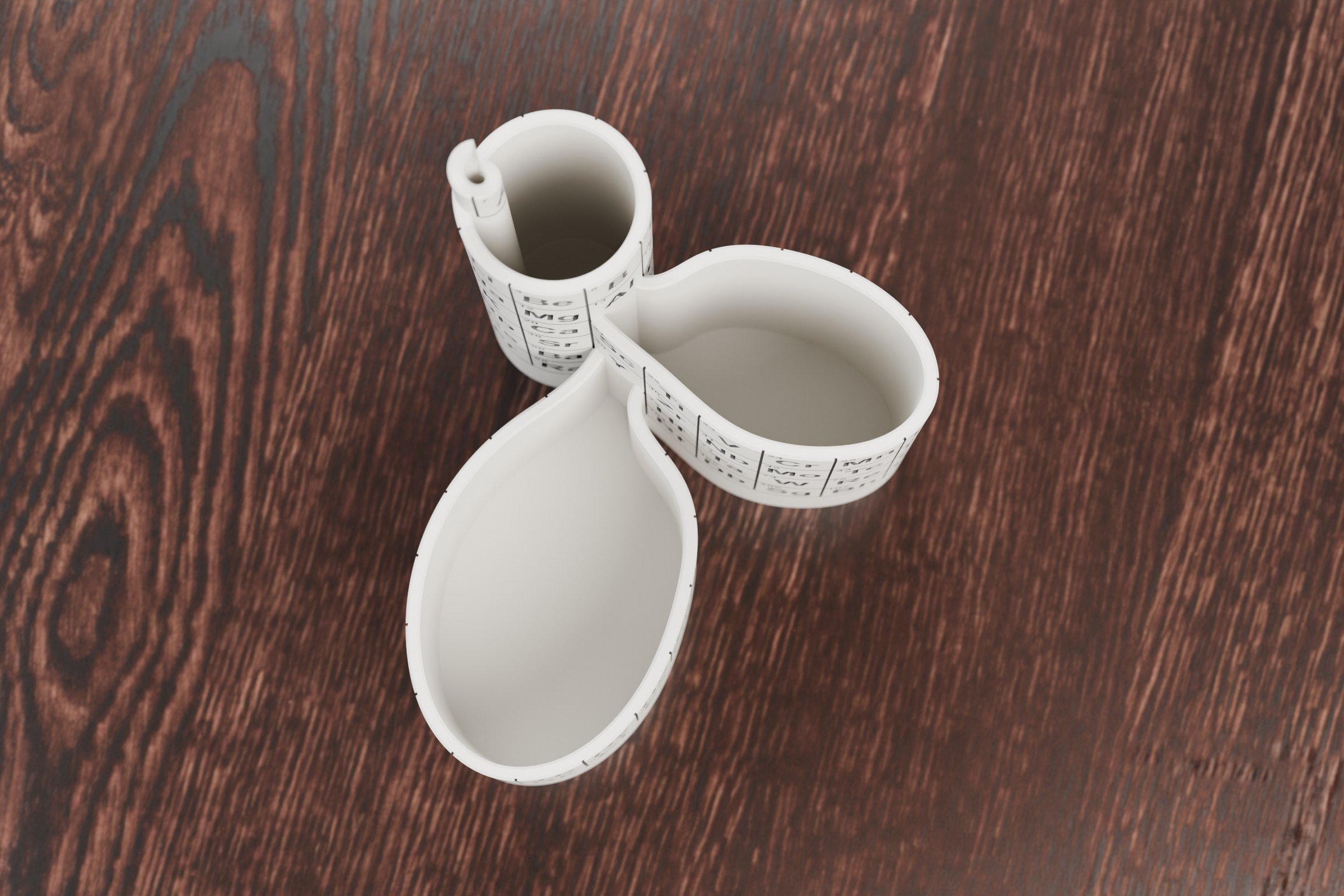
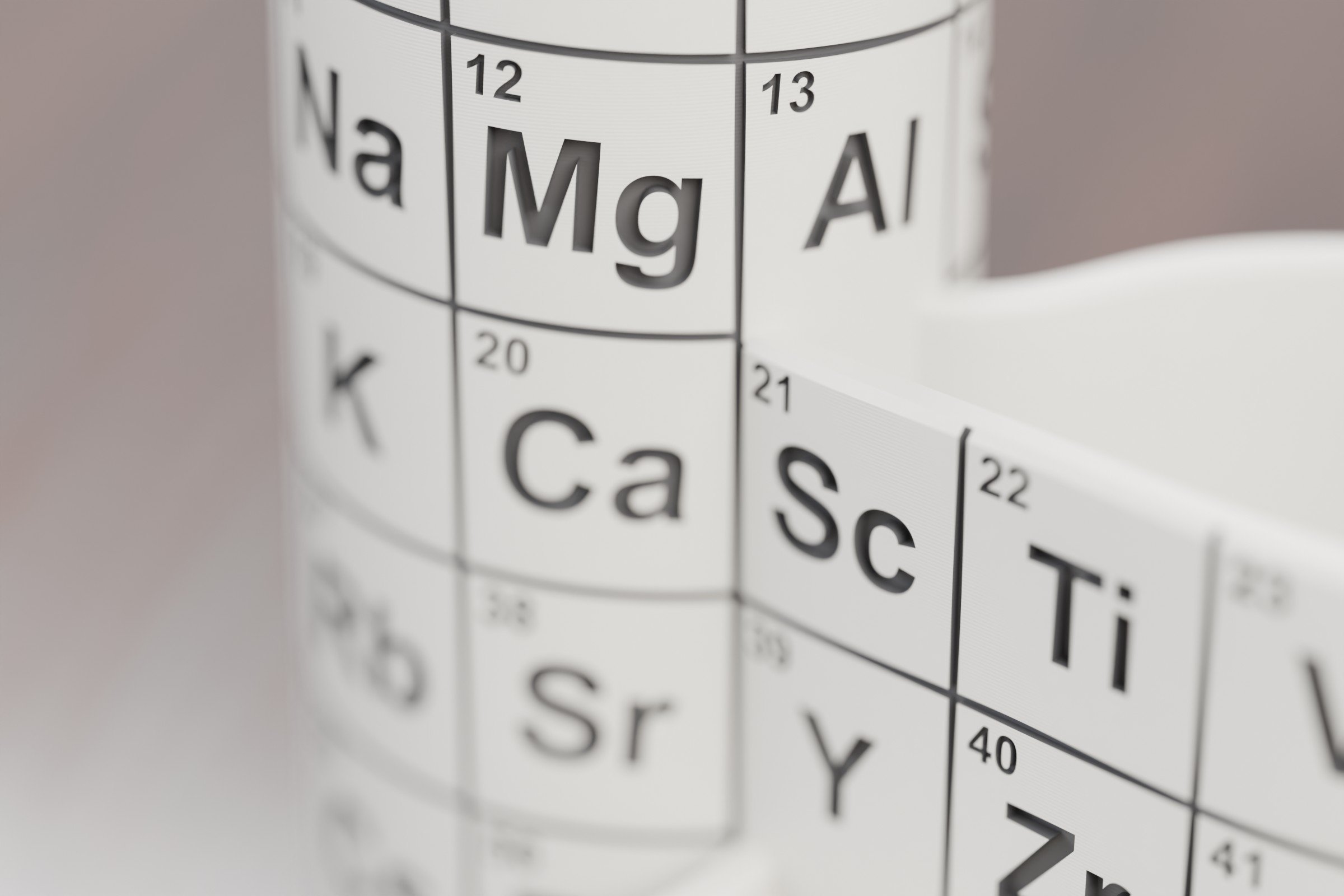
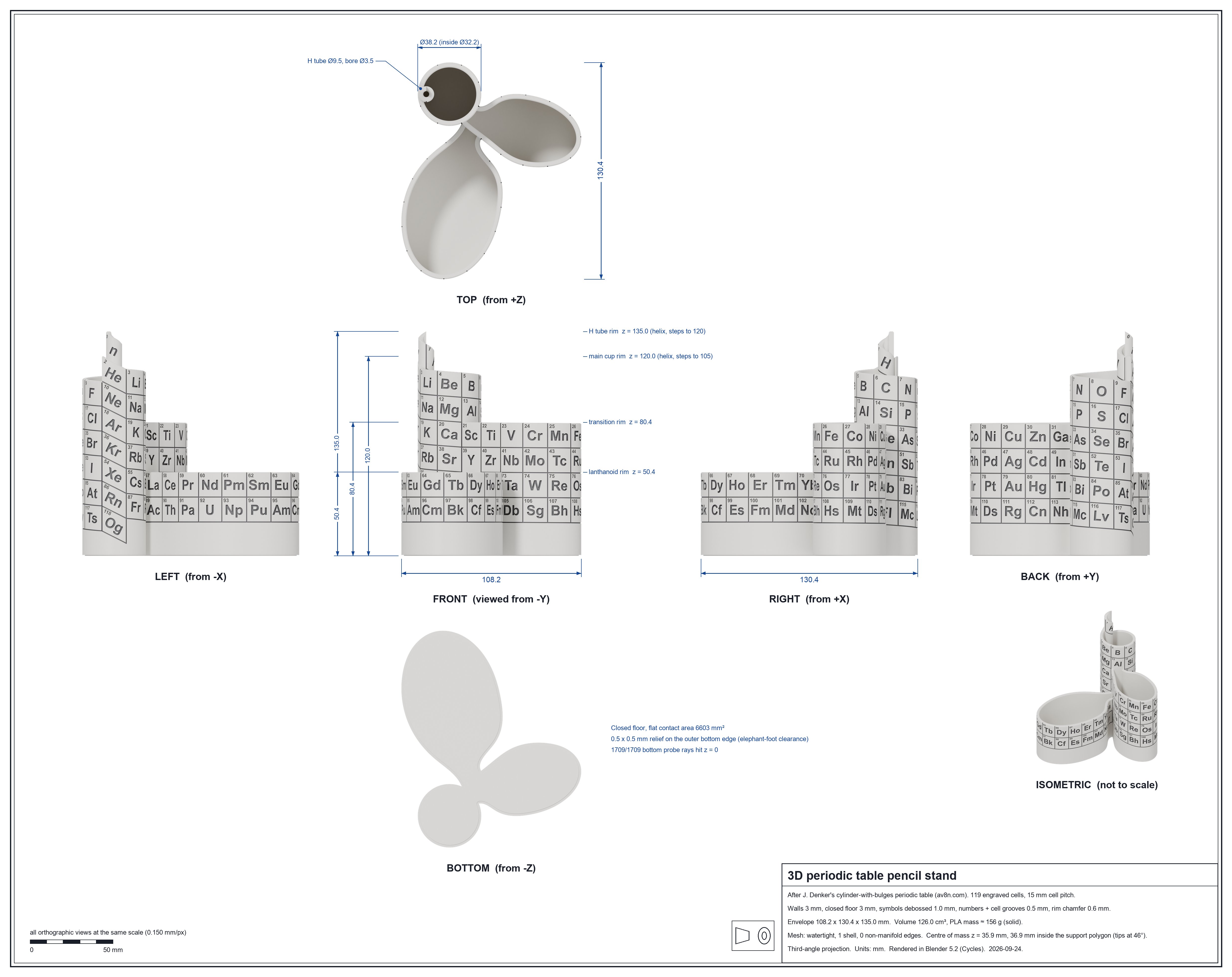
3D viewer
Drag to rotate, scroll to zoom. Full screen.
Print it
periodic-table-pencil-stand.3mf (5.4 MB, millimetres). Opens directly in any slicer that reads 3MF (PrusaSlicer, Bambu Studio, OrcaSlicer, Cura). I tested it in PrusaSlicer.
- 108 × 130 × 135 mm, 3 mm walls, closed 3 mm floor. Symbols are 1.0 mm deep, numbers and cell borders 0.5 mm.
- Print upright, no supports. In PrusaSlicer 2.9 at 0.2 mm layers it is 675 layers and about 150 g of PLA.
- The atomic numbers are about 3 mm tall, so use a 0.4 mm nozzle or finer.
- For contrast, rub acrylic paint into the engraving and wipe the surface clean.
- The hydrogen tube has a 3.5 mm bore. Skewer, not pencil.
The raw Blender export had about 20k zero-area sliver triangles left over from the booleans. Slicers repair those on import, but this file is rebuilt with manifold3d, so it is one closed shell and needs no repair.

If you want to look how I’ve made this Toyota Blender model, read A Toyota RAV4 Hybrid in Blender from one prompt.